Skip to content

Welcome to ACES

Alamo Colleges Education Services is a secure portal connecting Faculty, Staff & Students to Academic Resources, Email, and other Online Resources.

Support Contacts: Helpdesk: 210-485-0555 | Weather Line: 210-485-0189

Vertical_Bar 

Login to ACES

Click Here to Login
For additional information, visit the Student Logins page.

Close

MLK Campus (210) 486-2330

Location:
Center for Learning Resources (CLR)

SWC Campus (210) 486-7023

Location:
Building 1-C123
Vertical_Bar 
Library Info  
Close
Computer Lab 

Tutoring and Technology Center (TnT)

spc-tutoring@alamo.edu
Technology Support
Yolanda Vargas
210-486-2232
Tutoring Services
Kevin Schantz
210-486-2527
 
Vertical_Bar 
Close

Welcome Future Tiger!

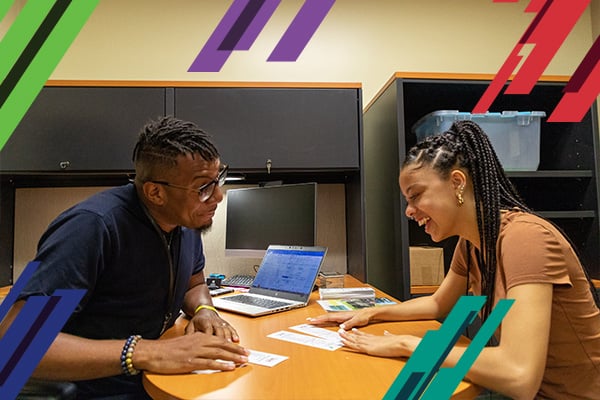
St. Philip’s College knows the first year in college is critical! The First Year Experience Center (FYEC) is here to help you adjust to college life and become a successful student, with one-on-one student services, academic support, tutoring sessions, new student orientation, and much more.

Visit the FYEC in the Norris Technical Building room 100 and see how we can help you!


Steps for Enrollment

Before you apply, you are encouraged to complete the Alamo Colleges Introduction to College & Pathways and Admissions Process Modules available at alamo.edu/district/MyMAP.

Download the Steps for Enrollment Guide.

01. APPLY

Complete and submit your admission application: www.applytexas.org . An Active Application is required to move forward with the enrollment process. You will then receive a series of e-mails with directions on how to log-in to your Alamo Colleges Education Services (ACES) account to view the “Start Here” Tab for next steps and required modules: aces.alamo.edu 

02. SUBMIT TRANSCRIPTS

Submit official high school transcript or GED certificate/scores to our Records and Registration Office located in our Welcome Center.

You can hand deliver your transcripts in a sealed envelope or have your previous institution(s) send official transcripts to the following:

  • St. Philip's College 
  • Records/Transcripts
  • 1801 Martin Luther King Dr.
  • San Antonio, TX 78203

03. SUBMIT PROOF OF BACTERIAL MENINGITIS VACCINATION

Texas state law requires that entering students show evidence of receiving a bacterial meningitis vaccination or booster dose during the five year period prior to enrollment. The law allows for few exceptions. You may obtain additional information at: alamo.edu/meningitis
Please submit documents to our Admissions Office located in our Welcome Center

04. APPLY FOR FINANCIAL AID

You are strongly encouraged to submit the Free Application for Federal Student Aid (FAFSA) at fafsa.ed.gov
Please consult alamo.edu/district/financial-aid for Priority and Processing Guarantee Dates.
SPC Federal School Code: 003608 

05. COMPLETE MODULE:

Paying for College (Access through “Start Here” tab in ACES)

06. COMPLETE MODULE:

I-Care (Access through “Start Here” tab in ACES)

07. COMPLETE MODULE:

Assessment Information (Access through “Start Here” tab in ACES)

08. COMPLETE MODULE:

Test Prep (Access through “Start Here” tab in ACES)

09. TAKE THE ASSESSMENT TEST (IF APPLICABLE)

Information on the placement exam is available at: alamo.edu/spc/testing-center/ 

10. ADVISING:

Students must visit with an advisor in Norris Technical Building (NTB), Room 100 at the Martin Luther King Campus or Bldg. 1 B172 at the SPC Southwest Campus
All requirements and modules listed above must be completed before visiting an advisor

11. REGISTER FOR CLASSES USING ACES

This is done online through your ACES account. Students must be admitted for the requested semester and have no holds on their record in order to register for classes

12. PAY TUITION AND FEES

Tuition payments via credit card or online check must be made online thru your ACES account. Cash payments can be made in person with the Bursar Office located in the Welcome Center. Payment in full or by installments must be made by the payment deadlines or you will be dropped from your classes


New Student Orientation

New Student Orientation is designed to introduce students to college leadership, highlight college programs and services, motivate students to make a successful transition to college life, and orient students to the campus. Visit the New Student Orientation page for dates and location.

For more information, visit alamo.edu/spc/orientation.


Loan Programs

Calculator Loan Program
The Calculator Loan Program allows students the opportunity to borrow a calculator for a semester. Calculators are available on a first come, first served basis.

Calculators must be returned to the First Year Experience Center by the end of the semester in good condition. If students do not turn in calculators, a possible fine will be assessed, and a registration hold will be placed on the student's record.

To borrow a TI-83 Plus Graphing Calculator, you must meet the following criteria and provide the listed items:

  • Must be a current SPC student
  • Provide a valid Picture ID
  • Submit a copy of your class schedule for us to keep
  • Must not have holds on student record.

Disclaimer: Students borrowing calculators MUST return them at the end of the semester in good condition. If students lose or damage borrowed calculator, they MUST replace it. Replacement costs will be the student's responsibility.

Textbook Loan Program
The Textbook Loan Program allows students to loan a book for the duration of a semester. Books are limited and are available on a first come, first served basis. An inventory list for semesters will be available a week prior to first day of class. It is extremely important that you check your ACES emai.

Books must be returned to the First Year Experience Center by the end of the semester in good condition. If students do not turn in books, a possible fine will be assessed, and a registration hold will be placed on the student's record .  

To borrow a book, you must meet the following criteria and provide the listed items:

  1. Must be a current SPC student
  2. Provide valid Picture ID
  3. Submit a copy of your class schedule for us to keep
  4. Provide the title, author and edition of each book you are requesting
  5. Must not have holds on student record

Disclaimer: Students borrowing textbooks MUST return them at the end of the semester in good condition. If students lose or damage borrowed textbook(s), they MUST replace them with the exact book(s) borrowed. If the edition borrowed is no longer available, students must replace it with the new edition. Replacement costs will be the student's responsibility.

Laptop Loan Program
The Laptop Loan Program allows students the opportunity to loan a laptop for the duration of a semester. Laptops are limited and are available on a first come, first served basis.

Laptops must be returned by the end of the semester in good condition or a possible fine will be assessed, and a registration hold will be placed on the student's record.

To be placed on waiting list to borrow a laptop, you must meet the following criteria:

  • Must be in your first year of college.
  • Must be First Year (FY) students; if 2nd semester FY student, must have a minimum 2.5 GPA
  • Must not have any holds on your students record.
  • Must be enrolled full-time (12 credit hours).
  • Must be cleared by the LRC and FYEC departments.
 

Additional Resources


Talk to an Advisor

Live chat by SightMax  

Visit Our Campuses

Button - Visit Our Campuses  

Important Dates

Monday, May 20, 2013
Start of Maymester courses 

Monday, June 10,  2013
Start of Summer I courses

Monday, July 15, 2013
Start of Summer II courses